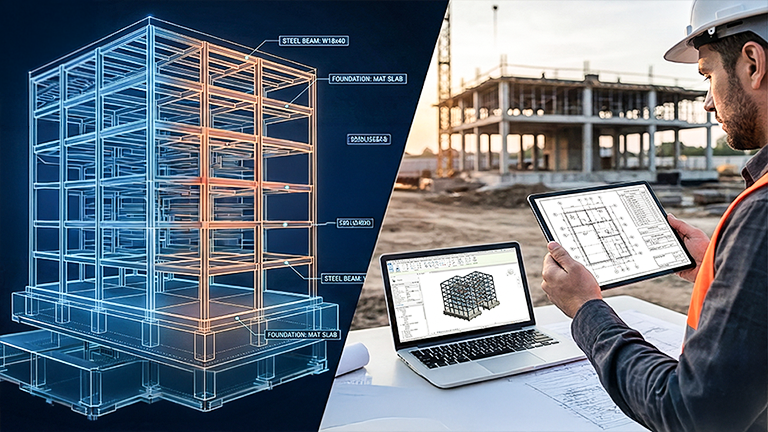
Revit Structure Foundations: Practical Workflows for Structural Engineers
Build a repeatable CAD-to-Revit Structure workflow for framing, foundations, schedules, and sheet-ready delivery—designed for real structural projects and BIM/VDC teams. This is workflow training for real project delivery.
By the End of This Course, You’ll Be Able To:
✅ Set up a stable Revit Structural project that doesn’t “drift” as the deadline approaches ✅ Control documentation output with view templates, filters, and consistent graphics ✅ Build a repeatable sheet + schedule workflow for real deliverables ✅ Avoid common pitfalls that cause rework, broken tags, and messy documentation
$449.00
Build Projects That Don’t Break Under Deadlines
✓ Phase 1 — Setup (Why it matters) Lock in levels, grids, coordinates, and view standards early so the model stays stable. ✓ Phase 2 — Build (How it flows) Model architecture with a clean system—walls, assemblies, and details that survive revisions. ✓ Phase 3 — Output (What you deliver) Produce sheet-ready documentation—plans, elevations, schedules—built to update automatically.
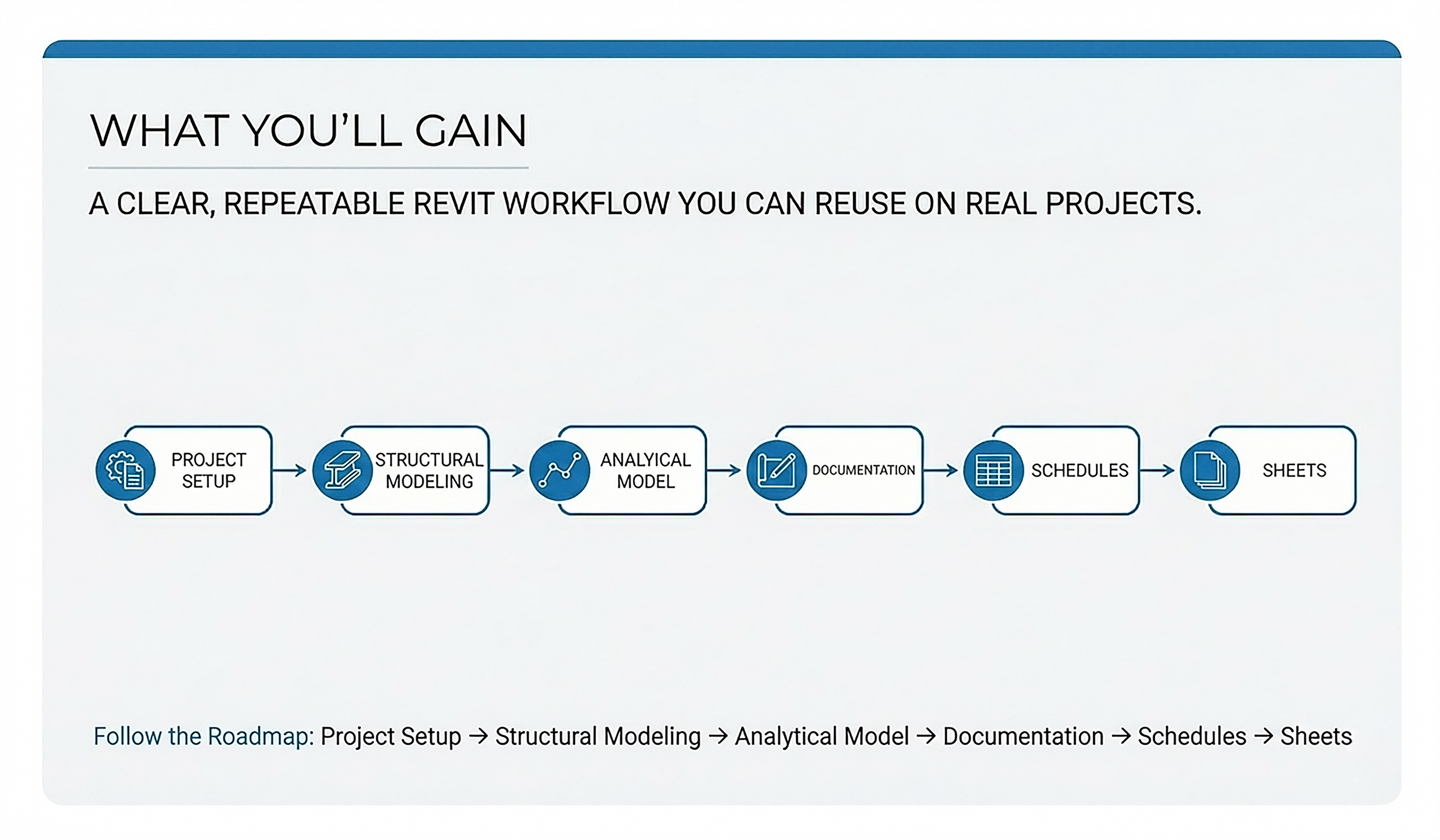
How Revit Works for You After This Course
If Revit still feels like drafting, you’re doing extra work. This course gives you a reliable, workflow-first approach to architectural project delivery—so your model drives your plans, elevations, schedules, and sheets with consistency through revisions. Follow a repeatable workflow sequence that keeps projects stable and documentation consistent: ✅ Clean Setup: Manage CAD links, levels, grids, and coordinates so the project stays stable. ✅ Model with Intent: Build walls, floors, roofs, and key elements so revisions don’t create rework. ✅ Control Views: Use view templates and standards so drawings stay consistent across changes. ✅ Trust Your Data: Create schedules you can rely on—because they match the model. ✅ Sheet-Ready Output: Deliver professional drawing sets with fewer redlines and less cleanup.

Designed for Structure Engineers and AEC Teams who:
✅ Are tired of “generic” Revit training that doesn’t translate into real project deliverables. ✅ Need a structured path—from CAD links to BIM workflows—that reduces rework and prevents early setup mistakes. ✅ Want workflow-first Revit best practices for consistent views, sheets, schedules, and coordination-ready output.
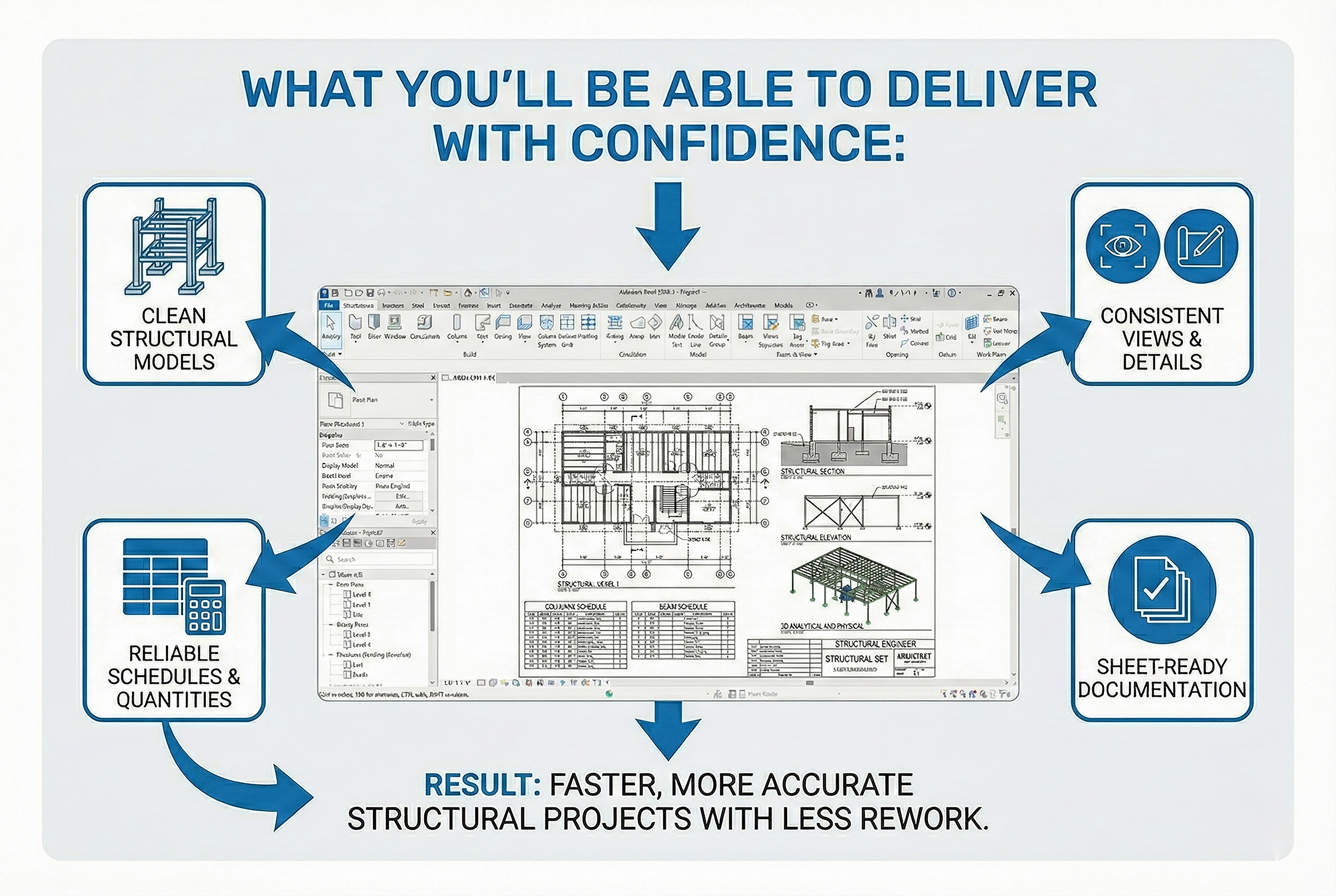
Deliver Structural Projects with Confidence in Revit
After this course, you’ll be able to: ✔ Set up structural projects with clean levels, grids, and coordination-ready links ✔ Model framing and foundations with stable constraints so revisions don’t break your model ✔ Create consistent plans, sections, callouts, and sheets that stay aligned under deadlines ✔ Produce reliable schedules/MTO that match the model and support quantity confidence ✔ Work faster with fewer surprises because your workflow is structured, validated, and repeatable
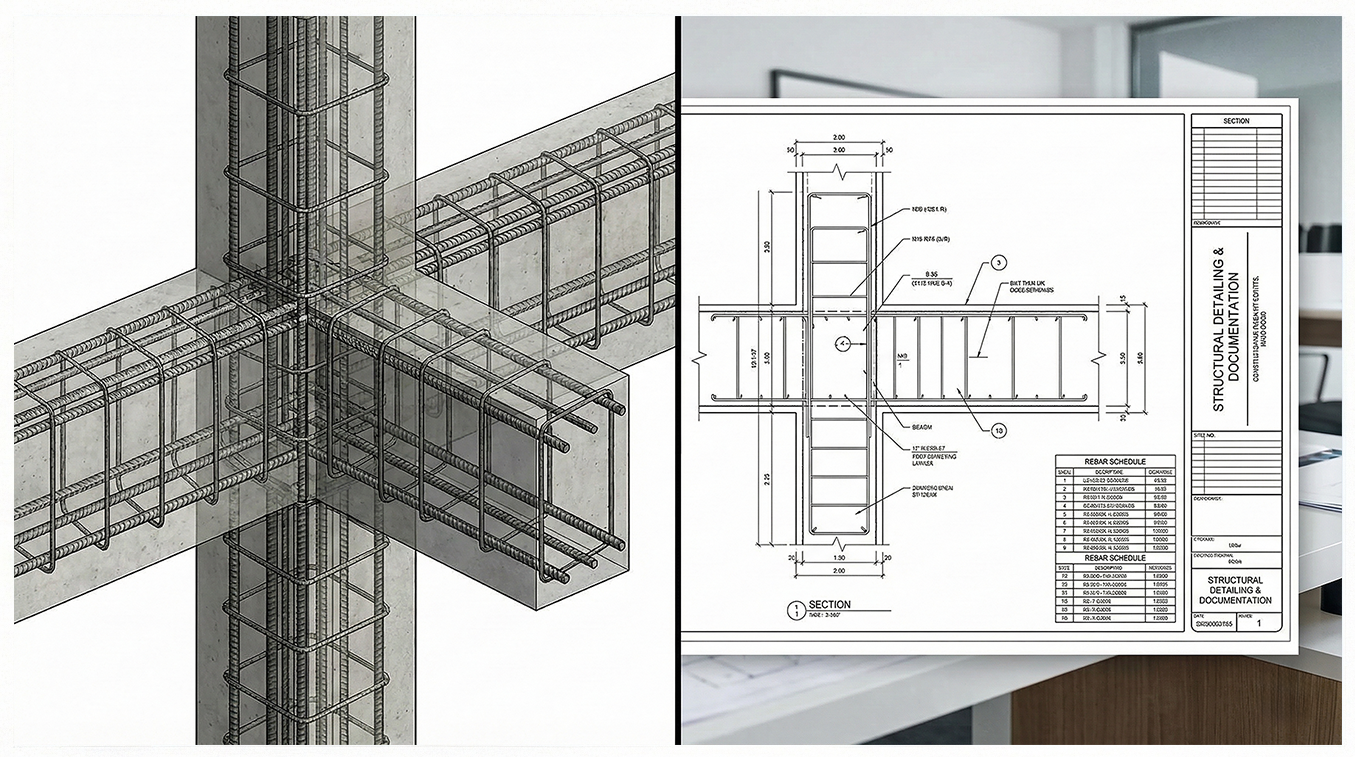
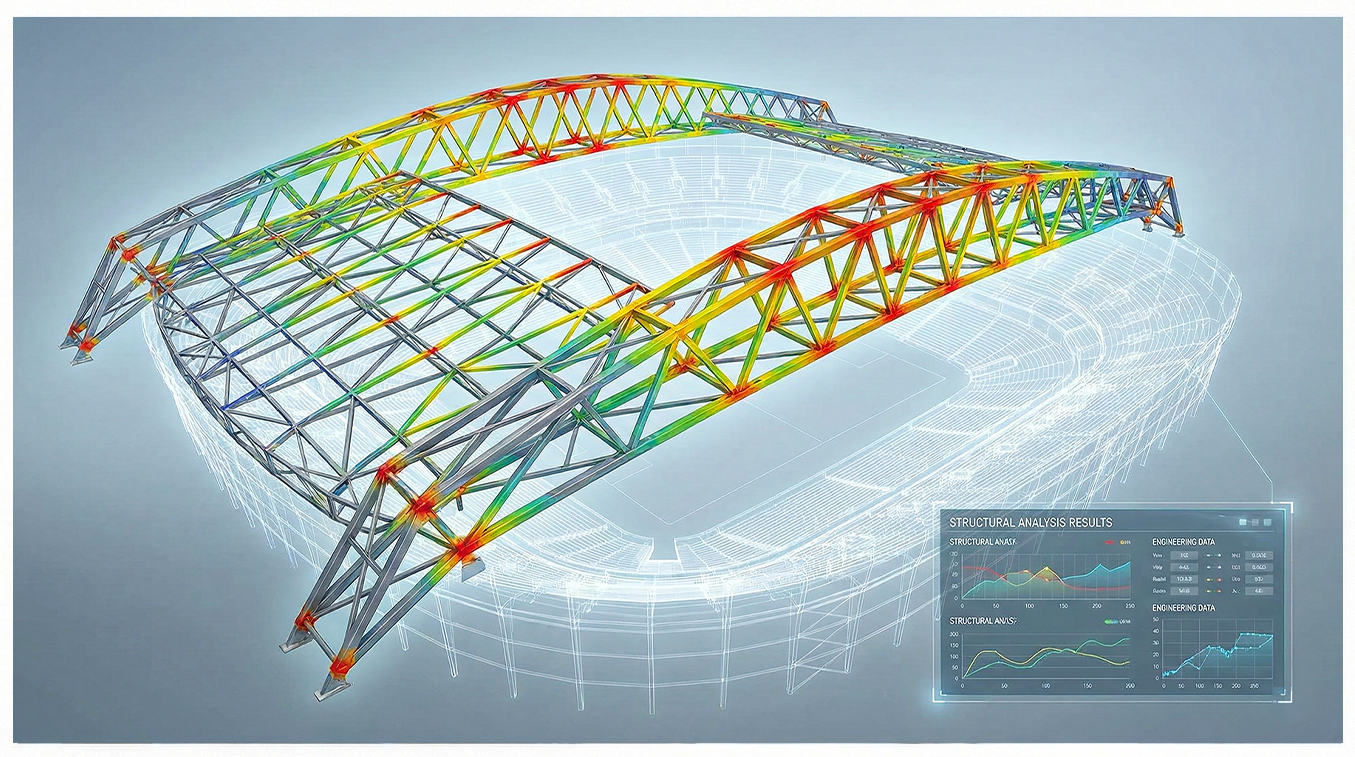
Structural Modeling Foundations
Build clean structural models—from grids and levels to framing and foundations—so views, schedules/MTO, and sheets stay coordinated without constant rework.
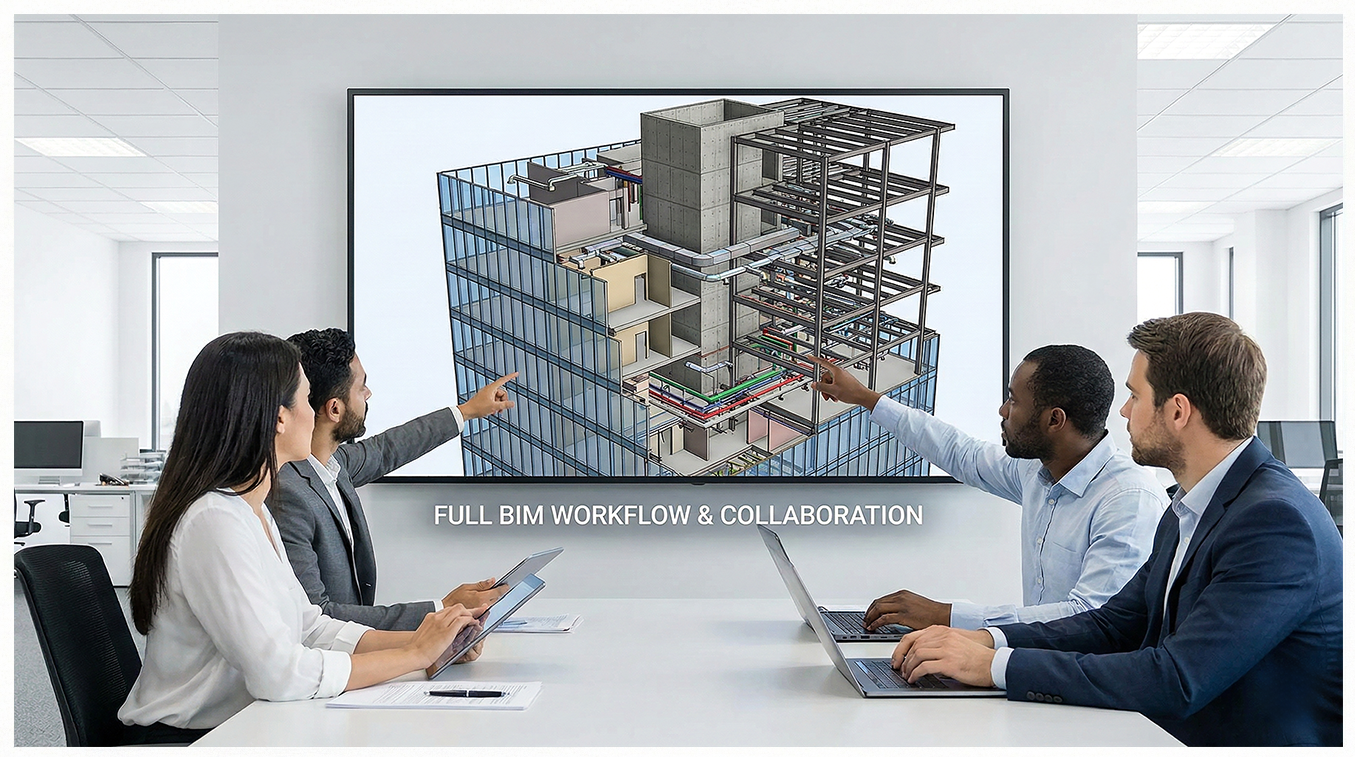
Real Project Delivery Workflow
Follow a repeatable model-to-documentation workflow: organized views, consistent annotations, and schedules/MTO that update automatically as the model changes.
Guided Workflow-Based Training
Step-by-step lessons + hands-on practice to model, document, and coordinate with confidence—without skipping the setup and paying for it later.
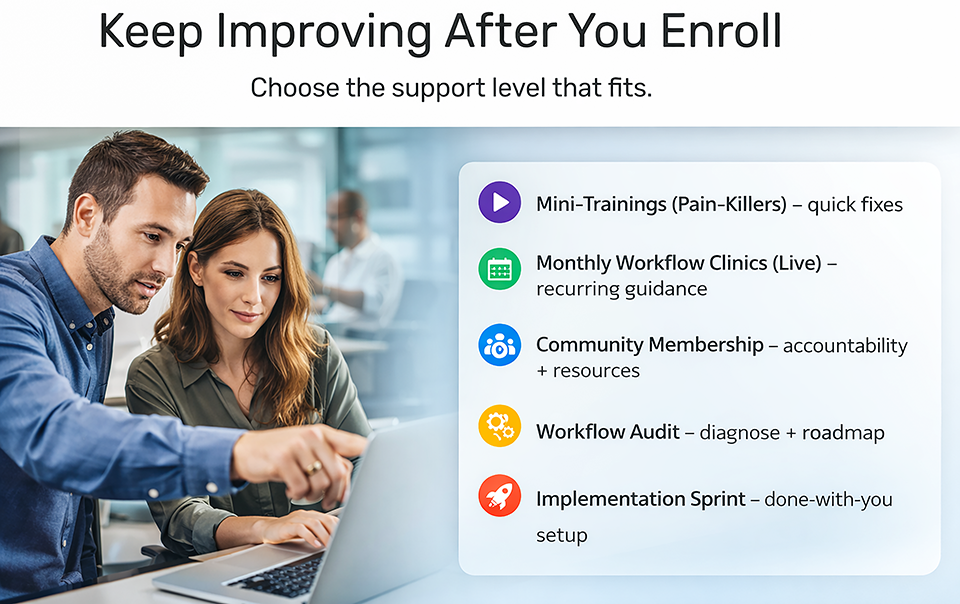
Support, when it matters.
You’re not on your own—choose the level of support you need to keep projects moving. Turn real project problems into repeatable workflows, with guidance when you need it. Coming soon!
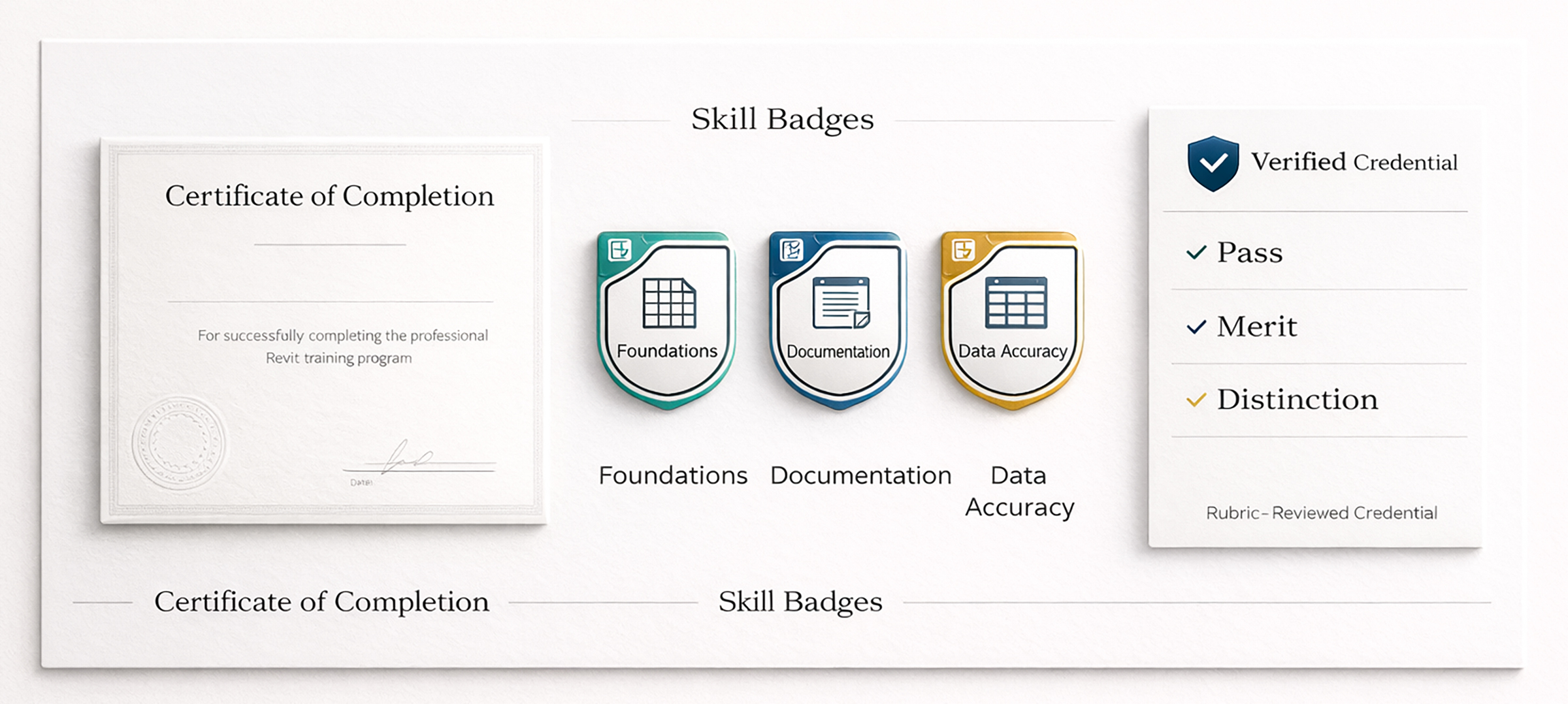
Revit Project Workflow Credentials: Certificate, Skill Badges & Verified Credential
Included with enrollment: • Certificate of Completion • Shareable Skill Badges (earned when you submit the course capstone deliverable bundle) Optional Career Credential (Rubric-Reviewed): After you submit your capstone, you can request a Credential Review. You’ll complete a short Professional Readiness Upgrade on the same capstone (not a second project). Earn a Skills Verification Credential rated Pass / Merit / Distinction. Issued by Revit Strategies Academy (not an Autodesk certification). Credential Review availability: Credential Reviews are offered within monthly review capacity.
The Strategy Layer
✓ Workflow Decision Framework: The exact mental model for planning projects. ✓ Guided Practice Playbooks: Step-by-step PDF guides to build muscle memory. ✓ Validation Gates: Proof that your skills hold up under deadline pressure.

The Resource Vault
✓ Download Library: exercise files, checklists, and quick-reference PDFs ✓ Templates + Examples: starter view standards, sheet samples, schedule examples ✓ Resource Updates: new downloads added as the academy grows

The Support Network
✓ Learner Support: Q&A updates, clarifications, and resource guidance ✓ Community Access: connect with peers (if live) / coming soon (if not) ✓ Credentials Included: certificate + shareable skill badges
Master Revit Structure Fundamentals with a Workflow That Holds Up Under Deadlines
Stop chasing redlines, rebuilding views, and fighting inconsistent documentation. Learn a repeatable Revit Structure workflow for real projects—so your model drives clean sheets, reliable views, and consistent data. Full course access includes Certificate of Completion, Skill Badges, and future course updates. Try Module 1 risk-free. If it’s not the right fit, email us within 7 days (and under 20% completion) for a full refund.
$449.00

Learn from an Autodesk Certified Instructor & BIM Strategist
I’ve spent 25+ years in the AEC industry, and I’ve seen the same pattern repeat in structural teams: problems rarely come from modeling skill—they come from unstable workflows under change. I’m Roger Mujica, an Autodesk Certified Instructor (Silver) and BIM Strategist. I help structural professionals build repeatable Revit Structure workflows—so framing, analytical intent, schedules/MTO, and sheets stay aligned without last-minute rework. You’ll learn the same structure professionals use to deliver under real deadlines—without rework. • Workflow-first project setup (levels, grids, coordinates, CAD links) • Documentation standards (views, sheets, schedules) • Real deliverables (not demos)
Real Feedback. Real Sheet-Ready Results.
Real outcomes from structural teams producing coordinated models, reliable schedules/MTO, and consistent sheets—without last-minute cleanup.
Coming from CAD, I could model in Revit—but my framing never stayed clean. Grids drifted, tags didn’t match what I thought I built, and every revision turned into rework. This course gave me a repeatable structure workflow: set up correctly, model with intent, and drive sheets and schedules from accurate data. Now my plans and quantities stay consistent even when the project changes.
Structure Engineer - Los Angeles, CA
I was still thinking like CAD: lines first, structure later. My model looked okay, but my sheets were never stable. This course helped me fix the order of operations—setup, placement, views, and documentation logic. My structural set is now easier to update, easier to review, and far more consistent.
Madrid, Spain
Before this, our “Revit” work was basically 3D drafting: manual notes, manual schedules, and constant cleanup during coordination. Roger showed us how to rebuild our structural models so documentation and schedules update predictably. Coordination is calmer now—less patching, more control.
Washington DC
I used to model “just enough to see it,” then fight the documentation—manual fixes, mismatched schedules, and constant patching. After this course, my structural model behaves like a system: framing aligns, foundations stay clean, and schedules follow the model automatically. It finally feels reliable.
Bologna, Italy
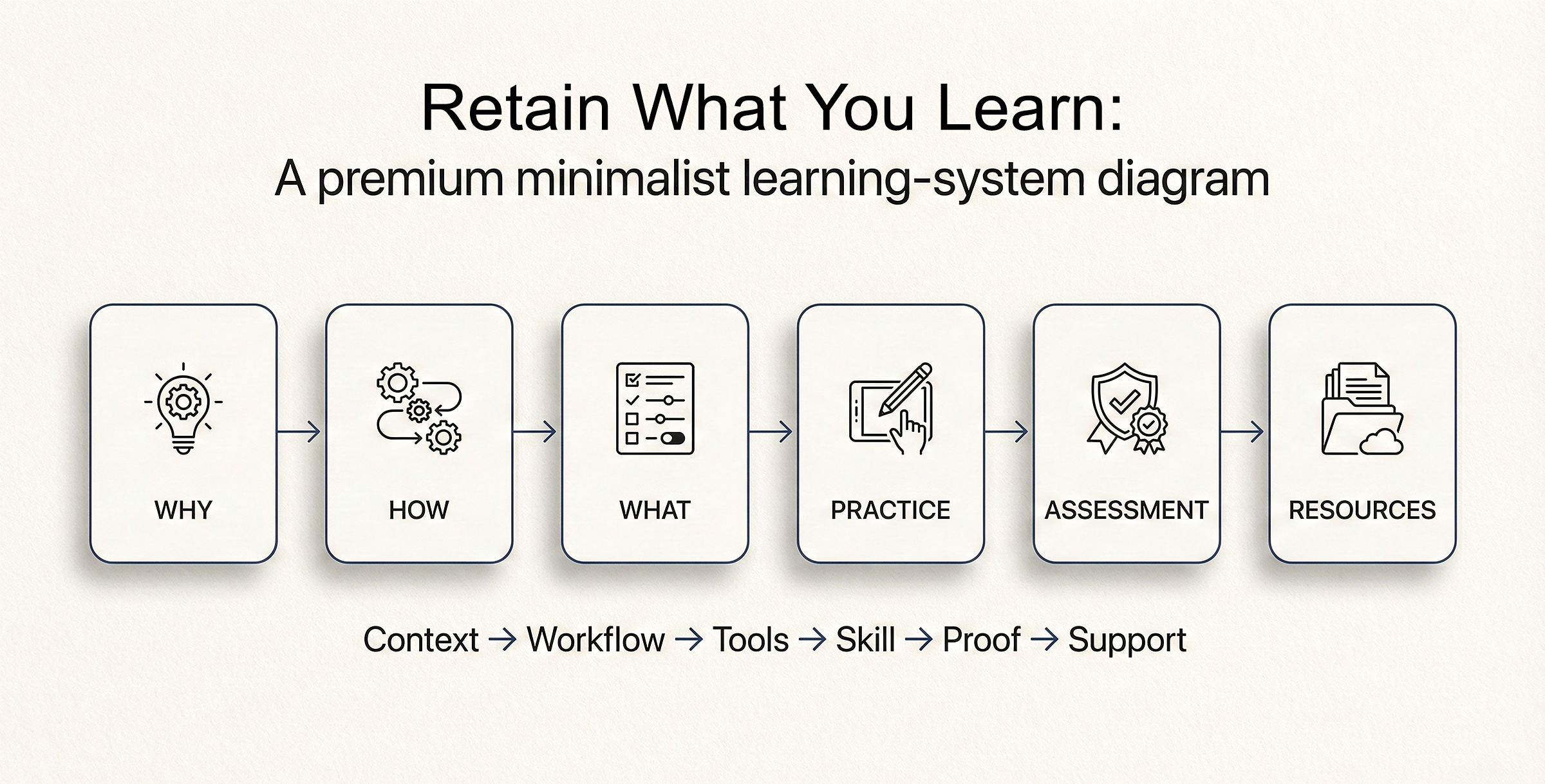
Revit Project Workflow Learning System for Real Project Delivery
Most courses overload you with “features” (the What) without context—so the knowledge doesn’t stick. This course uses a professional learning sequence built for real project delivery: ✓ Why: Strategy first—understand the problem we’re solving. ✓ How: Workflow in motion—see the sequence and how to build. ✓ What: Tools with context—settings only after the system is clear. ✓ Practice: Guided exercises that build repeatable skill. ✓ Assessment: Capstone checkpoints that prove competence. ✓ Resources: Templates and references to stay consistent on real projects. Not a tutorial library—a system for building professional Revit workflow capability.
Course Curriculum
-
-
(Included in full purchase)
Welcome: Course Roadmap & Outcomes (Video) — The “Why”
-
(Included in full purchase)
Workflow-First Learning: Build Skill Through Outcomes, Not Memorization (Reading) — The “Why”
-
(Included in full purchase)
Getting Started Checklist & Download Course Files (RVT/RFA/PDF) — The “How”
-
(Included in full purchase)
How to Use Thinkific (Navigation + Progress) (Video) — The “How”
-
(Included in full purchase)
Thinkific Quick Guide: Navigation + Progress
-
(Included in full purchase)
Course Files Explained (Pilot Project Concept) (Video) — The “What” | The “How”
-
(Included in full purchase)
Credentials & Proof of Skill: Certificate, Badges, and Career Credential (How You Earn Them) — The “What”
-
(Included in full purchase)
-
-
(Included in full purchase)
Module Overview: Goals + Roadmap
-
(Included in full purchase)
The Career Shift: The BIM Mindset vs. The CAD Mindset (Video) - The “Why”
-
(Included in full purchase)
The Data Mindset: Why "I" is the Most Important Letter in BIM (Video) - The “Why”
-
(Included in full purchase)
Revit vs CAD: The Workflow Difference - The “How”
-
(Included in full purchase)
BIM Basics: Model + Data + Documentation - The “What”
-
(Included in full purchase)
Reading — The Big Picture: The Lifecycle of a BIM Model - The “Resource”
-
(Included in full purchase)
Stop Point: What You Can Ignore for Now - The “Resource”
-
(Included in full purchase)
Workflow Pulse: CAD-to-BIM Readiness — Strategic Assessment - The “Assessment”
-
(Included in full purchase)
-
-
(Included in full purchase)
Module Overview: Goals + Roadmap
-
(Included in full purchase)
Why Navigation Matters in BIM - The “Why”
-
(Included in full purchase)
Revit Interface Overview (Video) - The “How”
-
(Included in full purchase)
Properties & Project Browser: What Controls What (Video) - The “What”
-
(Included in full purchase)
View Controls & Mouse Navigation (Video) - The “What” - The “How”
-
(Included in full purchase)
Core Practice: Navigation Pilot - The “Practice”
-
(Included in full purchase)
Module 2 Checkpoint: Navigation Pilot Test - The “Assessment”
-
(Included in full purchase)
-
-
(Included in full purchase)
Module Overview: Goals + Roadmap
-
(Included in full purchase)
Why Templates & Disciplines Matter (Structure Accuracy) - The “Why”
-
(Included in full purchase)
Start, Save, Open, and Audit Projects (Best Practice) (Video) - The “Why” - The “How”
-
(Included in full purchase)
Project Health Basics (Units, Project Info, Audit Awareness) (Video) - The “What”
-
(Included in full purchase)
Core Practice: Start a Clean Project - The “Practice”
-
(Included in full purchase)
Module 3 Checkpoint: Template & Discipline Readiness - The “Assessment”
-
(Included in full purchase)
-
-
(Included in full purchase)
Module Overview: Goals + Roadmap
-
(Included in full purchase)
Why View Organization Matters - The “Why”
-
(Included in full purchase)
View Naming & Grouping Logic - The “How”
-
(Included in full purchase)
Project Browser Organization: Views Like a Real Structural Project (Video) - The “What”
-
(Included in full purchase)
Core Practice: Browser Organization - The “Practice”
-
(Included in full purchase)
Module 4 Checkpoint: Browser & View Organization Review - The “Assessment”
-
(Included in full purchase)
-
-
(Included in full purchase)
Module Overview: Goals + Roadmap
-
(Included in full purchase)
Why Clean Setup Prevents Rework (Links + Datums + Coordination) - The “Why”
-
(Included in full purchase)
What You Must Know: Links & Datums (Levels & Grids) - The “What”
-
(Included in full purchase)
Link vs Import: CAD / PDF / Images (Structure Underlay Workflow) (Video) - The “How”
-
(Included in full purchase)
Levels & Grids Settings & Creation (Video) - The “What” - The “How”
-
(Included in full purchase)
The Coordination Workflow I: Copy/Monitor Levels & Grids (Video) - The “What” - The “How”
-
(Included in full purchase)
The Coordination Workflow II: (Naming + Alignment) (Video) - The “What” - The “How”
-
(Included in full purchase)
Coordination Review: What Happens When the Architect Changes? (Video) - The “What” - The “How”
-
(Included in full purchase)
Core Practice: Structural Project Setup (Levels + Grids) - The "Practice"
-
(Included in full purchase)
Module 5 Checkpoint: Setup Foundations Test - The “Assessment"
-
(Included in full purchase)
-
-
(Included in full purchase)
Module Overview: Goals + Roadmap
-
(Included in full purchase)
Load Path Fundamentals: How Foundations and Verticals Work Together - The “Why”
-
(Included in full purchase)
Isolated Footings + Columns: Placement, Constraints & Level Discipline (Video) - The “How”
-
(Included in full purchase)
Wall Footings + Structural Walls: Alignment, Joins & Connection Control (Video) - The “How”
-
(Included in full purchase)
Structural Materials + Usage Parameters: What Controls Behavior - The “What”
-
(Included in full purchase)
Core Practice I: Build a Simple Foundation + Vertical System (Load Path Ready) - The "Practice"
-
(Included in full purchase)
Core Practice II: Foundation + Column + Wall Constraints Review (Stability Pass) - The "Practice"
-
(Included in full purchase)
The Horizontal Elements (Floors/Slabs/Ceilings) (Video) - The "How"
-
(Included in full purchase)
Core Practice II: Model Floors/Slabs/Ceilings & Validate - The "Practice"
-
(Included in full purchase)
Module 6 Checkpoint: Foundations + Vertical System Build Validation - The “Assessment"
-
(Included in full purchase)
Reading — The Foundations & Vertical System Field Guide (Summary & Troubleshooting) - The “Resource”
-
(Included in full purchase)
-
-
(Included in full purchase)
Module Overview: Goals + Roadmap
-
(Included in full purchase)
Why Connectivity Matters: Stability + Analysis Intent - The “Why”
-
(Included in full purchase)
Model Cleanup Workflow: Alignment, Joins & Coping Tools (Video) - The “How”
-
(Included in full purchase)
Reading — Analytical Awareness: Understanding the Analytical Model (“Green Line”) - The “What” - The “Resource”
-
(Included in full purchase)
Core Practice: Clean Rebuild + Analytical Readiness Check - The "Practice"
-
(Included in full purchase)
Module 7 Checkpoint: Model Stability + Analytical Readiness Review The “Assessment"
-
(Included in full purchase)
-
-
(Included in full purchase)
Module Overview: Goals + Roadmap
-
(Included in full purchase)
Framing Hierarchy: Girders vs. Joists & Load Path - The “Why”
-
(Included in full purchase)
Primary Framing: Placing Girders & Grid-Snapping (Video) - The “What” - The “How”
-
(Included in full purchase)
The Beam System Tool: Automatic vs. Sketch Mode (Video) - The “What” - The “How”
-
(Included in full purchase)
Modifying Systems: Layout Rules & Disassociation (Video) - The “How”
-
(Included in full purchase)
Bracing & Trusses: Attachments & Parameters (Video) - The “How”
-
(Included in full purchase)
Core Practice: Frame One Complete Bay - The "Practice"
-
(Included in full purchase)
Module 8 Checkpoint: Framing Basics Review (Coordination-Ready) - The “Assessment"
-
(Included in full purchase)
Reading — The Structural Framing Field Guide (Summary & Troubleshooting) - The “Resource”
-
(Included in full purchase)
-
-
(Included in full purchase)
Module Overview: Goals + Roadmap
-
(Included in full purchase)
Why Views Are the Backbone of Structural Sheets - The “Why”
-
(Included in full purchase)
Create Sections, Structural Elevations, Callouts, Drafting Views & 3D (Video) - The “How”
-
(Included in full purchase)
Core Practice I: Build a Structural View Set - The “Practice”
-
(Included in full purchase)
Understanding the Duplicate Views Correctly (Video) - The “What”
-
(Included in full purchase)
Core Practice II: Build Additional Structural Views by Duplicating - The “Practice”
-
(Included in full purchase)
Reading — View Templates - The “Resource”
-
(Included in full purchase)
Skill Drill Practice: View Naming Drill - The “Practice”
-
(Included in full purchase)
Module 9 Checkpoint: Views Workflow Review - The “Assessment”
-
(Included in full purchase)
-
-
(Included in full purchase)
Module Overview: Goals + Roadmap
-
(Included in full purchase)
Why Smart Annotation Matters - The “Why”
-
(Included in full purchase)
Smart Annotation Creation (Tags, Dimensions, Text Notes) (Video) - The "How"
-
(Included in full purchase)
Detailing Basics: Lines & Filled Regions (Video) - The “How”
-
(Included in full purchase)
Structural Annotation Types & Styles (Video) - The “What” - The “How”
-
(Included in full purchase)
Core Practice: Annotate for Clarity - The “Practice”
-
(Included in full purchase)
Reading — Ignore Over-Detailing - The “Resource”
-
(Included in full purchase)
Module 10 Checkpoint: Documentation Clarity Test - The “Assessment”
-
(Included in full purchase)
-
-
(Included in full purchase)
Module Overview: Goals + Roadmap
-
(Included in full purchase)
Why Schedules Matter: Model → Quantities → Coordination - The “What” - The "Why"
-
(Included in full purchase)
Mastering Schedules: Quantities, Material Takeoff & Sheets (Video) - The "How
-
(Included in full purchase)
Core Practice I: Create a Structural Column Schedule - The “Practice”
-
(Included in full purchase)
Core Practice II: Create a Framing Schedule & Sheet List Schedule - The “Practice”
-
(Included in full purchase)
Module 11 Checkpoint: Data Consistency Review - The “Assessment”
-
(Included in full purchase)
Reading — The 5 Core Schedule Properties - The “Resource”
-
(Included in full purchase)
-
-
(Included in full purchase)
Module Overview: Goals + Roadmap
-
(Included in full purchase)
Why Structural Sheets Are the Final Test - The “Why”
-
(Included in full purchase)
Sheet Assembly Workflow (Video) - The “How”
-
(Included in full purchase)
Publishing & PDF Export (Video) - The “How”- The “What”
-
(Included in full purchase)
Core Practice: Sheet Set Assembly - The “Practice”
-
(Included in full purchase)
Final Checkpoint: Sheet-Ready Documentation Test - The “Assessment”
-
(Included in full purchase)
Reading — The Revit Roadmap: Documentation Edition - The “Resource”
-
(Included in full purchase)
-
-
(Included in full purchase)
Common Beginner Fixes - The “Resource”
-
(Included in full purchase)
Shortcuts & Navigation Cheatsheet - The “Resource”
-
(Included in full purchase)
30-Day Practice Plan - The “Capstone Practice”
-
(Included in full purchase)
The Roadmap Ahead: Recommended Next Courses — The “Strategy”
-
(Included in full purchase)
✓ Course Access & Release Schedule ✓ Start with the core now—new modules release in Waves (included).
This course is released as a progressive learning system designed for real project delivery. Each Wave builds workflow clarity, sequencing, and validation — the same logic professional firms rely on to keep models stable under deadline pressure. With enrollment, you start with the core foundations now and receive future Waves as they’re released—so your workflows keep getting stronger over time.

🔵 Wave 1 — Foundations Core (Start Here)
✔ Available immediately after enrollment. Core concepts, navigation, setup, and your first structural modeling workflows—so you can start immediately with confidence.

🟠 Wave 2 — Production Workflows
✔ Released progressively after launch. Structural setup, coordination logic, views, annotations, schedules, and validation checkpoints for real project output.

🟣 Wave 3 — Mastery & Validation
✔ Released progressively after launch. Sheet production, QA logic, advanced structural workflows, and discipline-specific strategies for reliable delivery.
The "Pilot Project" System
Stop watching disconnected tutorials. Build a complete structural workflow alongside me—setup to analytical-ready modeling and sheet output. Includes 15+ focused drills to build real structural modeling, documentation, and coordination muscle memory.

"Flex-Testing" Validation Gates
Every module ends with a validation checkpoint. You validate alignment, relationships, and output logic before progressing—so structural models stay stable under revisions and deadlines.

The Revit 2025 Toolkit
A “Project-in-a-Box” download including structural project templates, view controls, starter families, and QA checklists designed to support reliable schedules, quantities, and sheet-ready output.
Get Instant Access to the Course
Start now with the Foundations Core. New Waves release progressively—included with your enrollment. What You Get: ✅ Lifetime access to all course modules (including future Waves as they’re released) ✅ The Revit Toolkit (Updated for 2025): templates + view standards + QA checklists ✅ Certificate of Completion + shareable Skill Badges 7-Day Money-Back Guarantee Explore Module 1 risk-free. If it’s not the right fit, email us within 7 days (and under 20% completion) for a full refund.
$449.00